OpenMacroBoard

A library that helps you implement custom functions for different macro boards.
What is OpenMacroBoard?
OpenMacroBoard (maintained by Christian Franzl) is a collection of .NET libraries (.NET 10+), that help you implement custom functionality for various macro boards mainly focusing on devices with key displays.
At the moment OpenMacroBoard is for developers only and there is no easy-to-use software or installer - just a bunch of libraries ;-)
Examples
You can find a lot of examples in our example collection
Fullscreen images
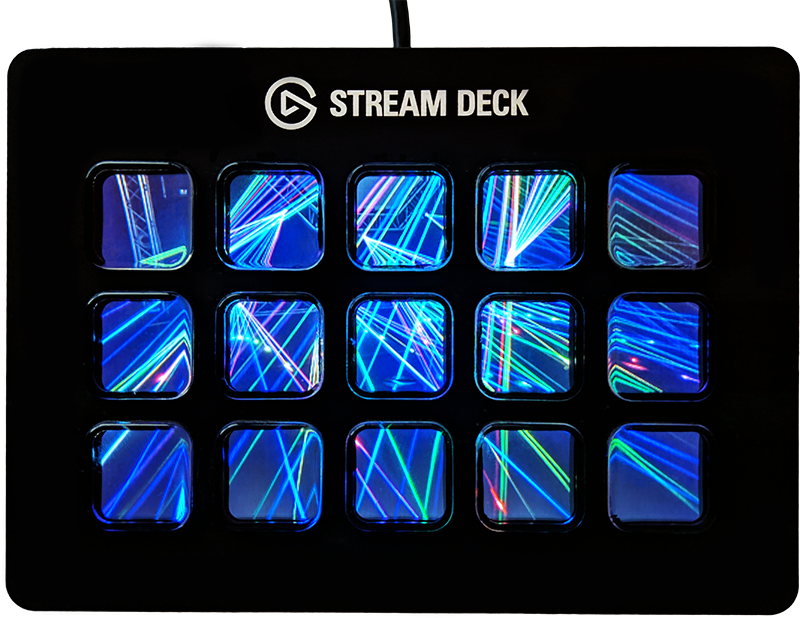
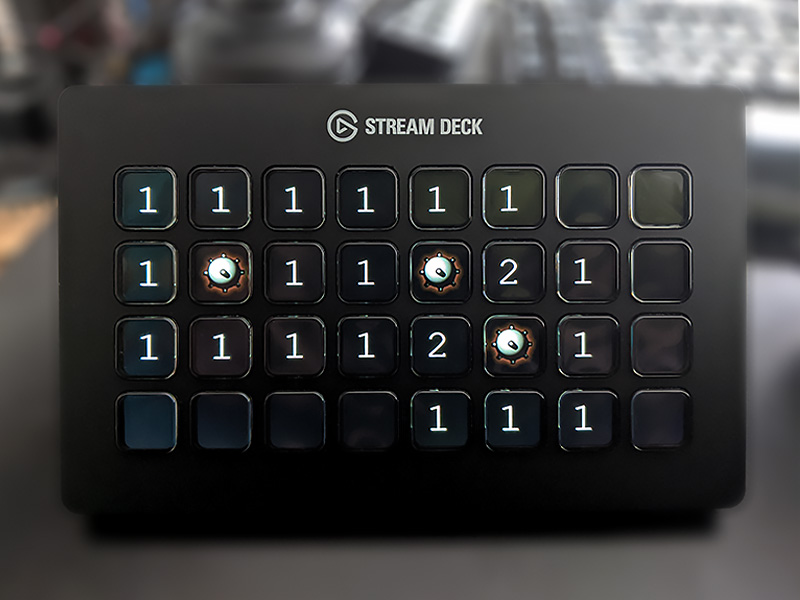
Play games
Play games on a macro board, for example minesweeper (also part of the example projects)
Videos

*The glitches you can see are already fixed.
Quick Start
Create a new console project in Visual Studio (.NET 10+), add OpenMacroBoard.SDK as a reference and at least one device provider.
In this example we use
OpenMacroBoard.SocketIOto support theVirtualMacroBoardStreamDeckSharpto support the Elgato Stream Deck family
Note: Neither OpenMacroBoard nor StreamDeckSharp are made or endorsed by Elgato
Once you added the NuGet packages copy-paste the following lines:
using OpenMacroBoard.SDK;
using OpenMacroBoard.SocketIO;  // for VirtualMacroBoard
using StreamDeckSharp;          // for StreamDeck

// create a device context (fluent API)
// and add listener for devices (device provider)
using var ctx = DeviceContext.Create()
    .AddListener<SocketIOBoardListener>()   // VirtualMacroBoard
    .AddListener<StreamDeckListener>()      // StreamDeck
    ;

Console.WriteLine("Waiting for a device... (press Ctrl+C to cancel)");
using var board = await ctx.OpenAsync();
Console.WriteLine("Device found.");
Console.WriteLine("1) Try to press some buttons on the device.");
Console.WriteLine("2) Press any key in this console to end the demo.");

// react to key press event by setting a random color
board.KeyStateChanged += (sender, arg) => board.SetKeyBitmap(arg.Key, GetRandomColorKey());

// Wait for a key press in the console window to exit
// the application and disconnect the device.
Console.ReadKey();

// Helper function to create a random color KeyBitmap
static KeyBitmap GetRandomColorKey()
{
    var r = GetRandomByte();
    var g = GetRandomByte();
    var b = GetRandomByte();

    return KeyBitmap.Create.FromRgb(r, g, b);
}

// Helper function to get a random byte
static byte GetRandomByte()
{
    return (byte)Random.Shared.Next(255);
}
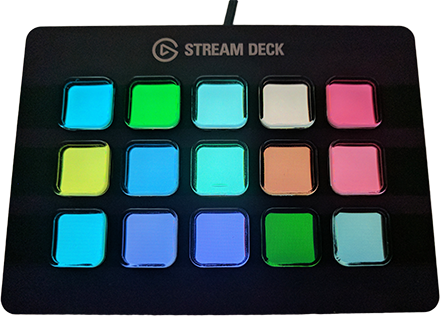
Here is what the example looks like after pressing some keys:
Providers and supported devices
Providers are libraries that manage the communication to the macro boards. This abstraction is needed to allow third parties to implement devices without changes to the core functionality.
At the moment there are just two providers that are maintained by me.
StreamDeckSharp
First things first, StreamDeckSharp is not official software by Elgato, nor is it endorsed by them.
NuGet: StreamDeckSharp
| Device | Description |
|---|---|
| Stream Deck (original/legacy) | 5 x 3 |
| Stream Deck (MK2) | 5 x 3 |
| Stream Deck XL | 8 x 4 |
| Stream Deck Mini | 3 x 2 |
Keep in mind that Elgato sometimes releases new revisions of their devices with different PIDs (USB product IDs) which might break compatibility. If you have a device like that, please open an issue on GitHub with the new PID.
OpenMacroBoard.SocketIO
NuGet: OpenMacroBoard.SocketIO
| Device | Description |
|---|---|
| VirtualBoard | Software emulated board with arbitrary key configuration |
Is device XYZ supported?
If I find the time I’d love to add more, but you can also implement one yourself by referencing OpenMacroBoard.SDK and writing a class that implements IObservable<DeviceStateReport>. This class can then be added as a device listener in a DeviceContext.
If you want me to implement it, you can donate hardware (or the money so I can buy that specific hardware you want implemented) - just create a ticket and we talk about it ;-)
Vision
My original idea was to write an open source alternative for the Elgato Stream Deck software, that supports more devices and lets developers write functions/plugins/widgets for all devices with an existing IMacroBoard provider. Currently I don’t have enough
time to seriously work on that. If you want to help feel free to contact me (just create a ticket or send me a mail).
Details
For more details and information please visit the github repositories.